
Track your hours
You can (and must!) track your hours worked for a particular project inside the Productive app. We use this app for time-tracking and project management. It has a web app, a desktop app, and both iOS and Android apps available. You can log in at https://app.productive.io. You will have been sent an invite to the app after you successfully interviewed.
In order to track your hours, you simply open up the timer in the bottom left hand corner, select the project you're working on (if there is no project for the task you're working on, choose Dev Logins as the project) and the task you're doing (usually Gatsby Development), and then click Start. The below shows an example of this.
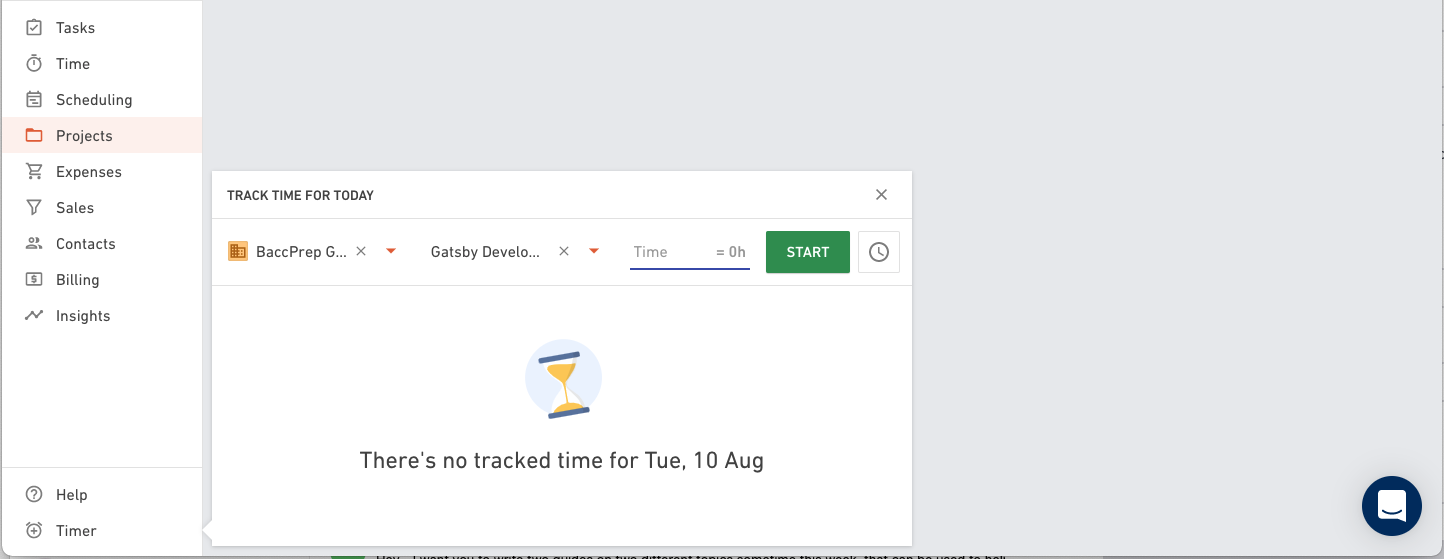
Make sure to turn the timer off whenever you finish, and also periodically check that Productive is still tracking time every 30 minutes or so (sometimes it'll stop if it thinks you might have finished working).
How you get paid
When you signed your contract, you will have received either an hourly definite rate, or a daily/weekly/monthly average rate.
We always pay per hour worked, with something like a weekly contract being broken down to an hourly equivalent where a week equals 38 hours.
As a general note:
- Work day is generally 5 days a week
- Work hours during that week is generally 38 hours
- Feel free to work less or more, depending on your preferences
These notes are what your compensation estimate will have been based on.
Once you put in hours to Productive, these are summarized for payroll. Each pay cycle is one week, and is typically paid every Tuesday for the previous week. For example, after you complete work on Friday, you will be paid for that week on the following Tuesday.
Payments are made via Transferwise Direct Deposit wherever possible, however due to inavailability of Transferwise in some countries, you may be paid via Cash Pickup in USD via Remitly. You will be notified whenever a payment is made to you by either of these services.